Josh Joy/ refineyoursystem
Flagship project · Case study

Sniper — a workflow suite for a live service desk.

Around 5,000 lines of browser code that layer nine enhancements onto ConnectWise, the platform a busy service desk works in all day. It runs inside the technician's own session. No server, no extra login, nothing new to host.

Type
Custom browser tooling
Platform
ConnectWise (in browser)
Size
~5,000 lines
Status
In daily use
Under the hood

Around 5,000 lines of code, in a single file.

Every enhancement on this page is hand-written browser code, from the metadata header on line 1 to the boot sequence on the very last line. No framework bolted on, no server to run, just code that makes the day faster.
5,240
lines · 1 file · 9 enhancements
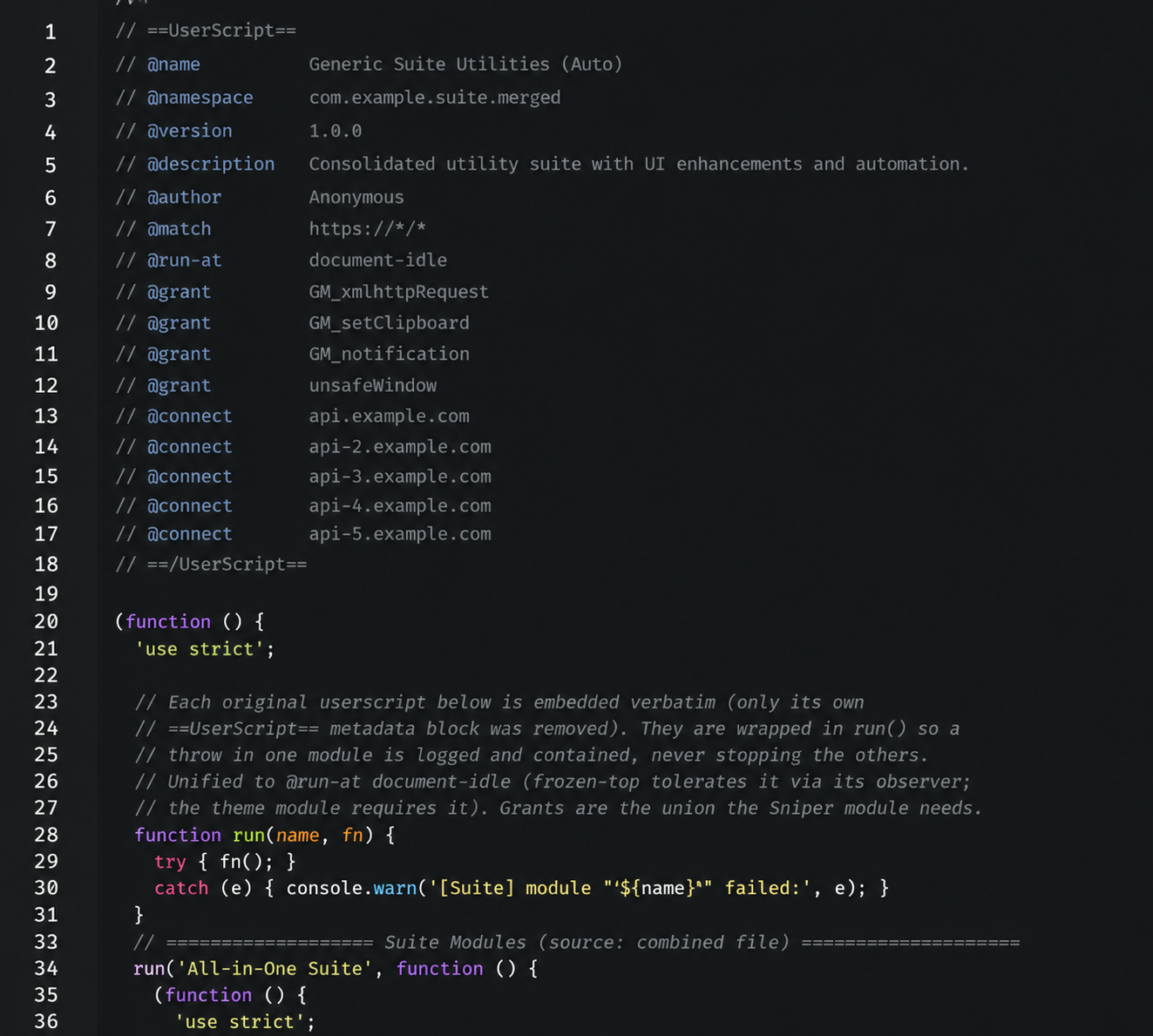
sniper.user.jsline 1
The top of the Sniper userscript — metadata header and the all-in-one module loader
Line 1. The header and the loader that boots all nine enhancements as fault-isolated modules.
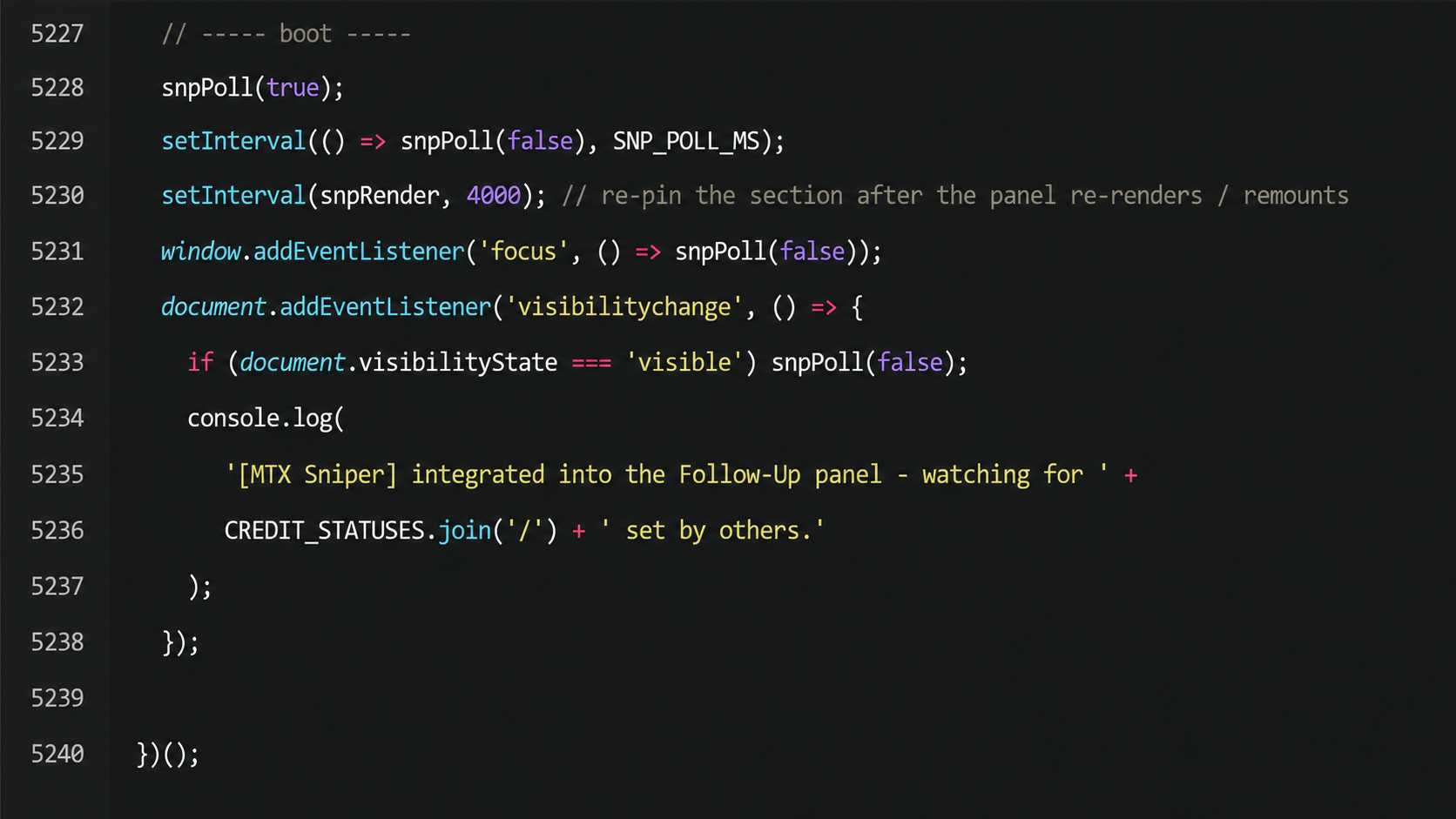
sniper.user.jsline 5,240
The end of the Sniper userscript — the boot and polling sequence
Line 5,240. The boot sequence wiring the follow-up panel into the live page and starting the polling loop.
The problem

A team living inside software that fought them all day.

A service desk runs its entire day through one ticketing system. Every minute of friction in that system gets paid for hundreds of times over. The default experience was hard to scan, gave no warning before a ticket went cold, and made the most repeated actions slower than they needed to be.

Worse, when a ticket you owned was closed by someone else, there was no clean signal. Credit for the work quietly went to the wrong person, and leadership had no reliable picture of who actually did what.

The approach

Improve the system they had instead of replacing it.

Replacing the ticketing platform was never on the table, and it shouldn't have been. The fix had to live inside the tool the team already trusted and survive the system's frequent updates.

So Sniper runs as browser code in the technician's existing session. To make it reliable I had to work out how the platform really behaves under the hood, including parts that aren't documented, and verify every assumption against live data. The whole thing is built in fault-isolated pieces, so if one enhancement ever breaks, the rest keep working.

What's Inside Sniper

01 / 09 · flip through ›
01

Rebuilt ticket list

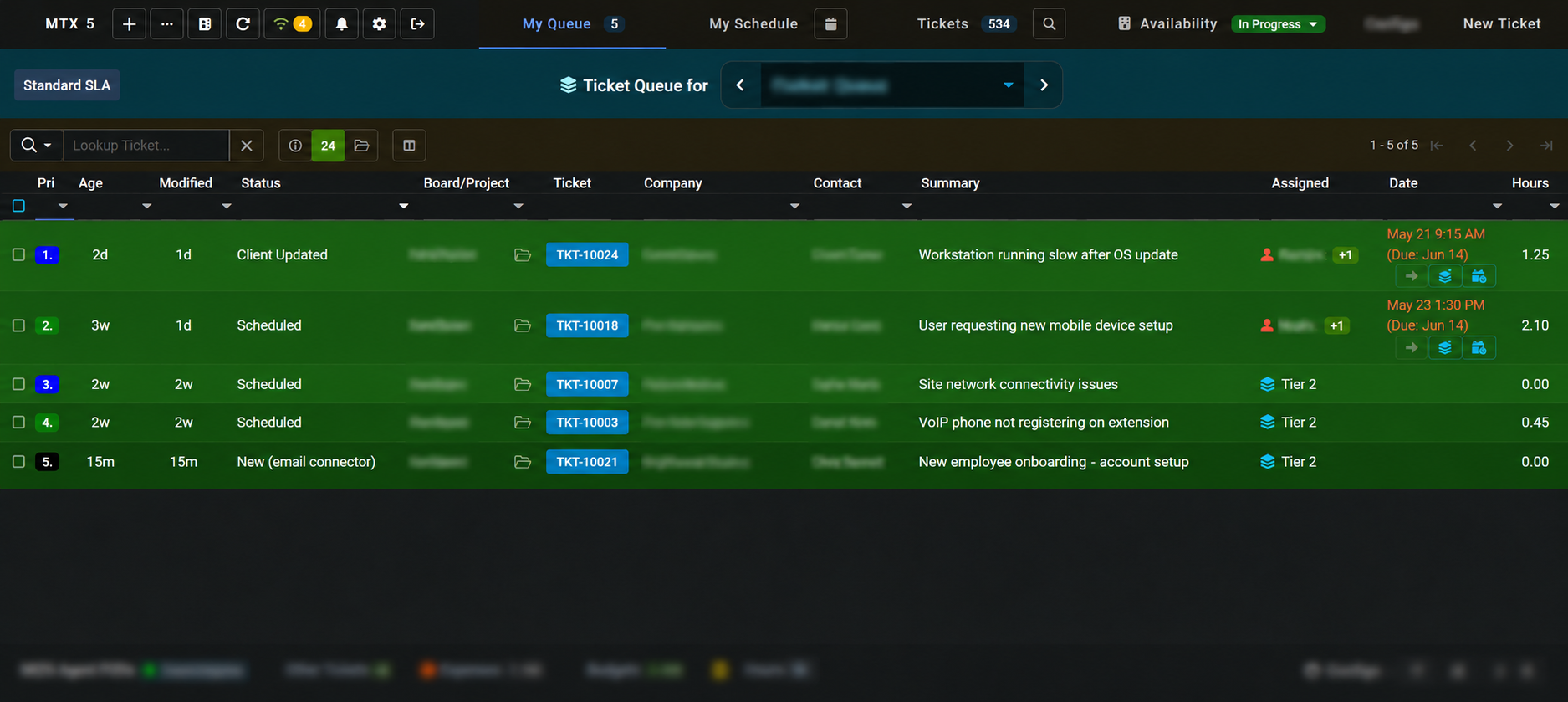
  • Dark, colour-coded table that's genuinely fast to scan
  • Decluttered layout means less hunting per ticket
  • Status and priority readable at a glance
02

Pinned headers

  • Column headers stay locked as long lists scroll
  • You never lose your bearings deep in a queue
  • Always know what every column means
03

Stale-ticket highlighting

  • Cold tickets surfaced before they breach an SLA, not after
  • Colour intensity tracks how long a ticket has waited
  • Problems caught early instead of explained later
04

Follow-up panel

  • A docked panel for work that needs a nudge
  • Keeps follow-ups in front of you instead of buried
  • Sorted by age so nothing quietly slips
05

Keyboard shortcuts

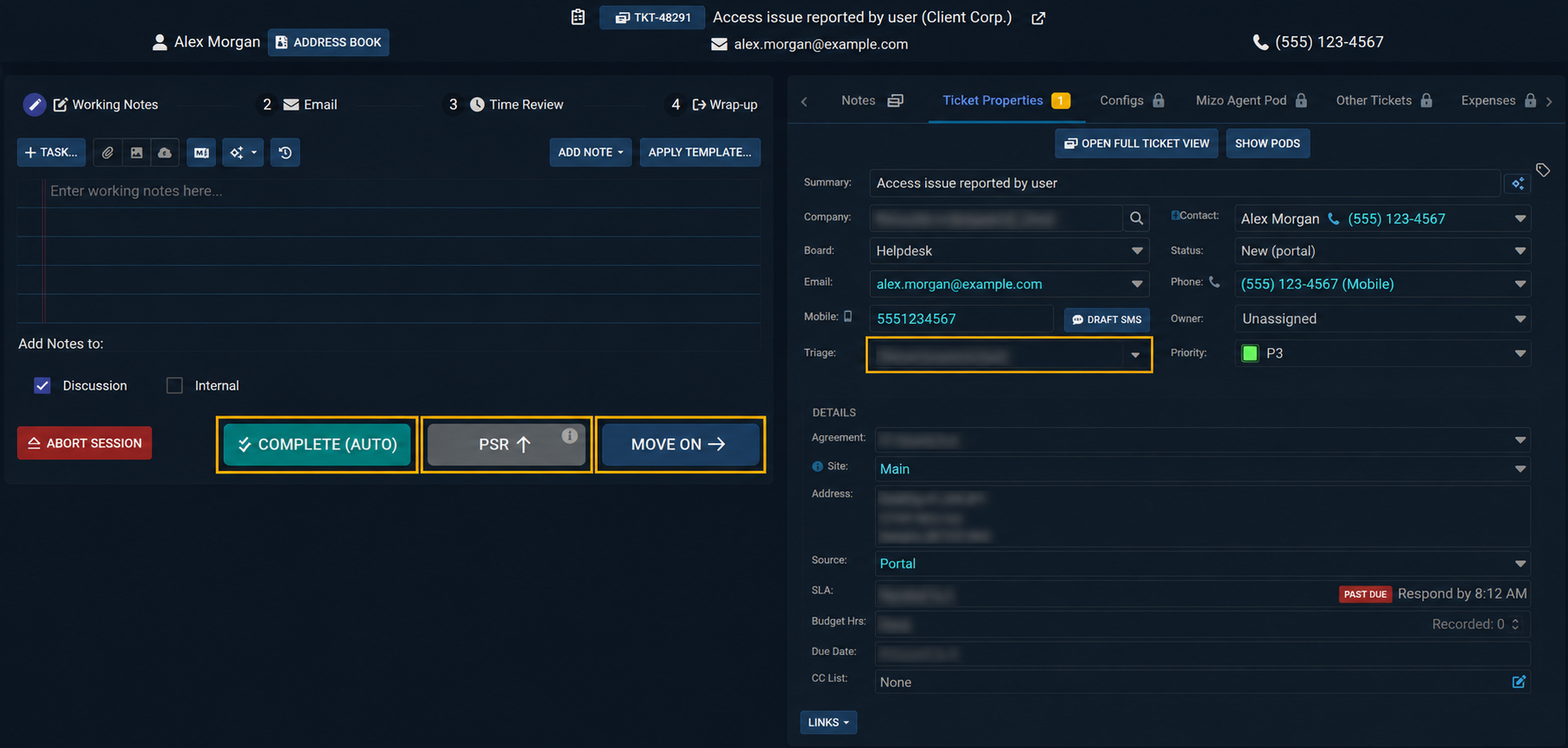
  • Notes, ticket creation, completion and triage on one keypress
  • The most repeated actions, no mouse required
  • Hands stay on the keyboard, focus stays on the work
06

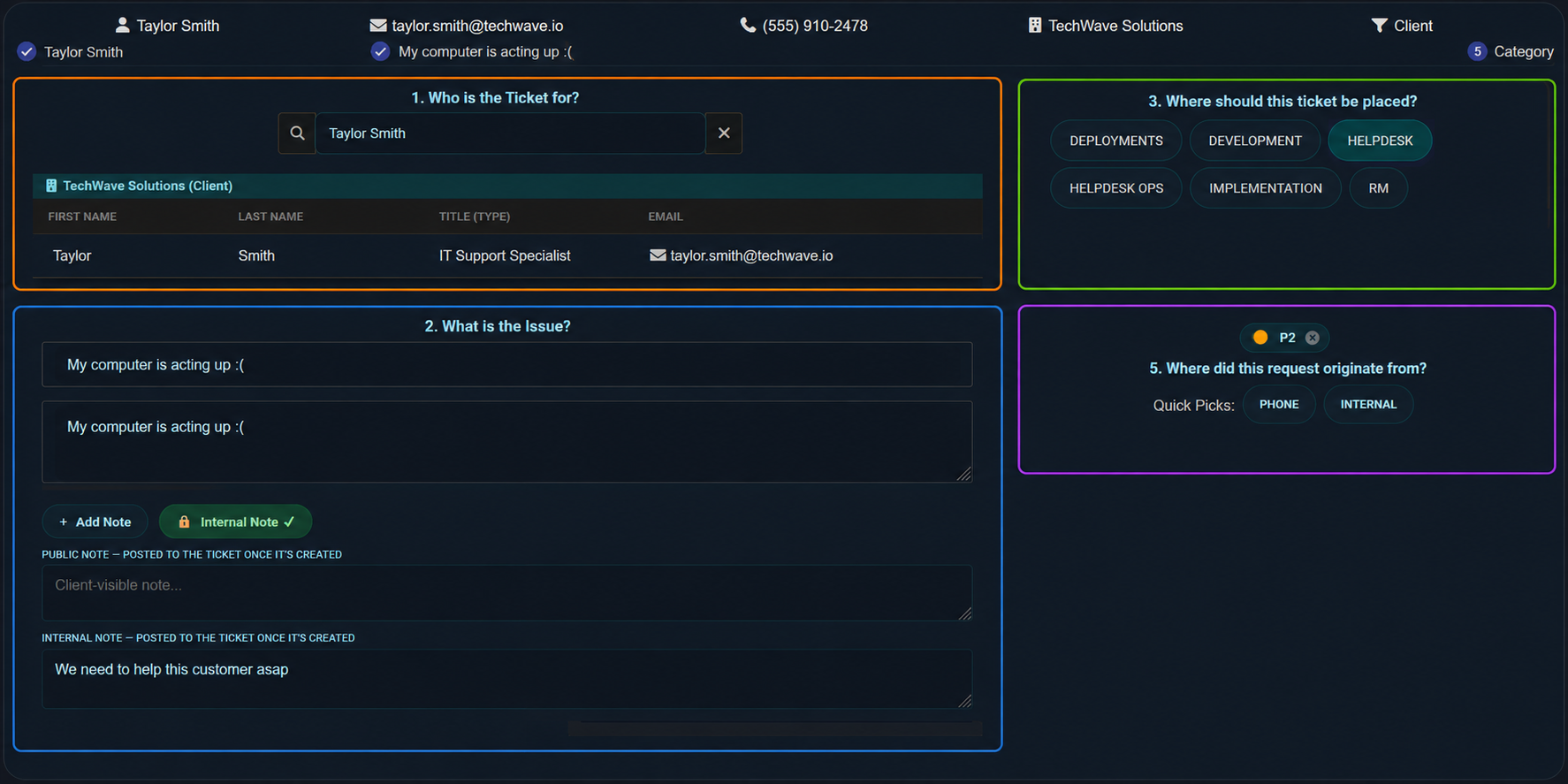
One-screen flows

  • Multi-step actions collapsed into a single focused screen
  • Fewer clicks and far less context-switching
  • Everything needed is in view at once
07

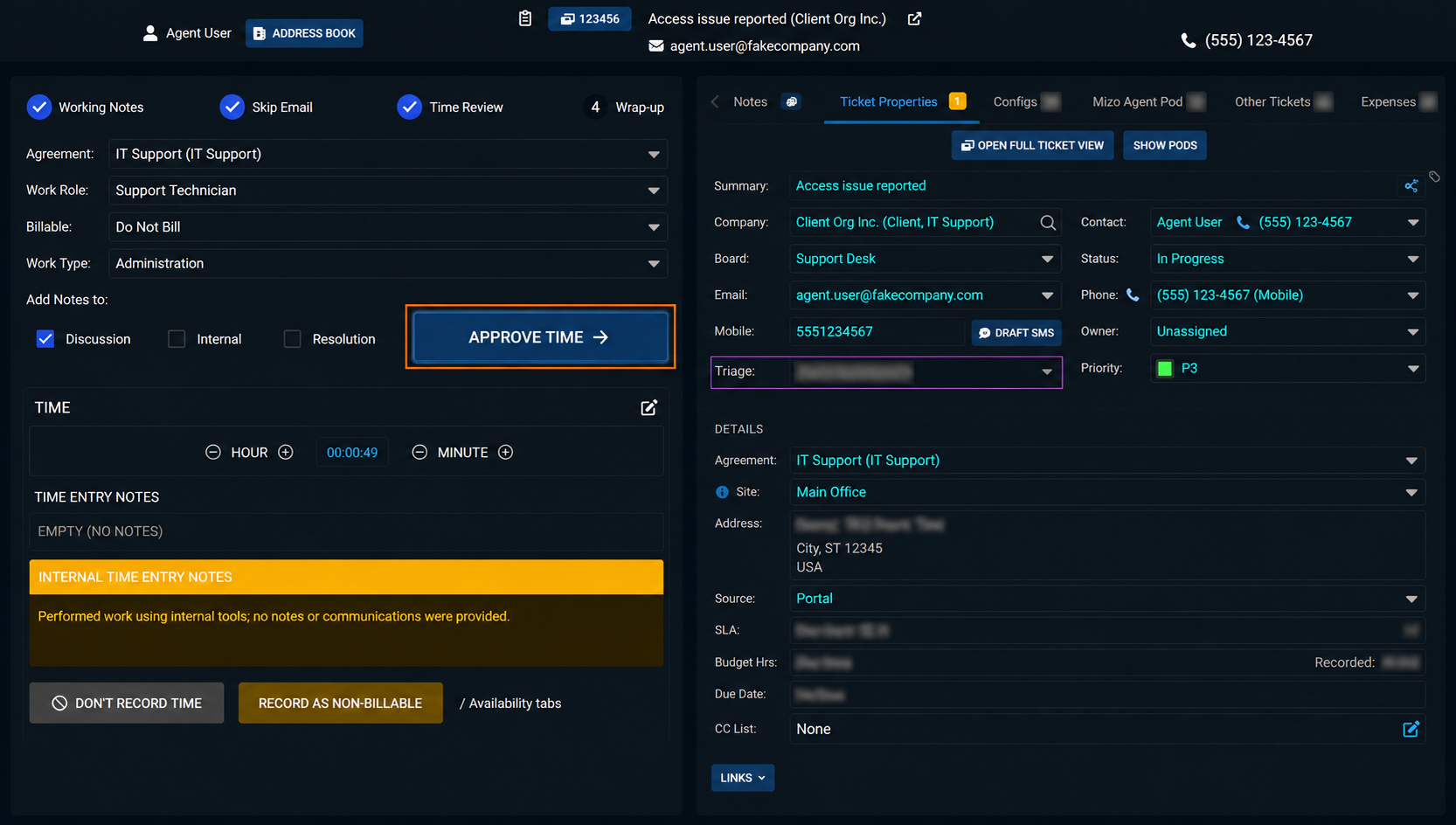
Cleaner time review

  • A clearer layout for reviewing time entries
  • Supports accurate, timely capture
  • Cleaner billing downstream
08

Sniper accountability alerts

  • Know the instant your ticket is completed by someone else
  • Read straight from the platform's audit trail
  • Fair, data-backed credit for the work done
09

Bandwidth-aware polling

  • Heavy checks run rarely, light checks run often
  • Expensive lookups fire only when something changed
  • Stays fast without hammering the server
Before & after

The same screens, side by side.

Each pair is the same moment in the technician's day, the stock platform on the left, Sniper's rebuild on the right. Watch the colour scheme, the layout, and the highlights do the work.

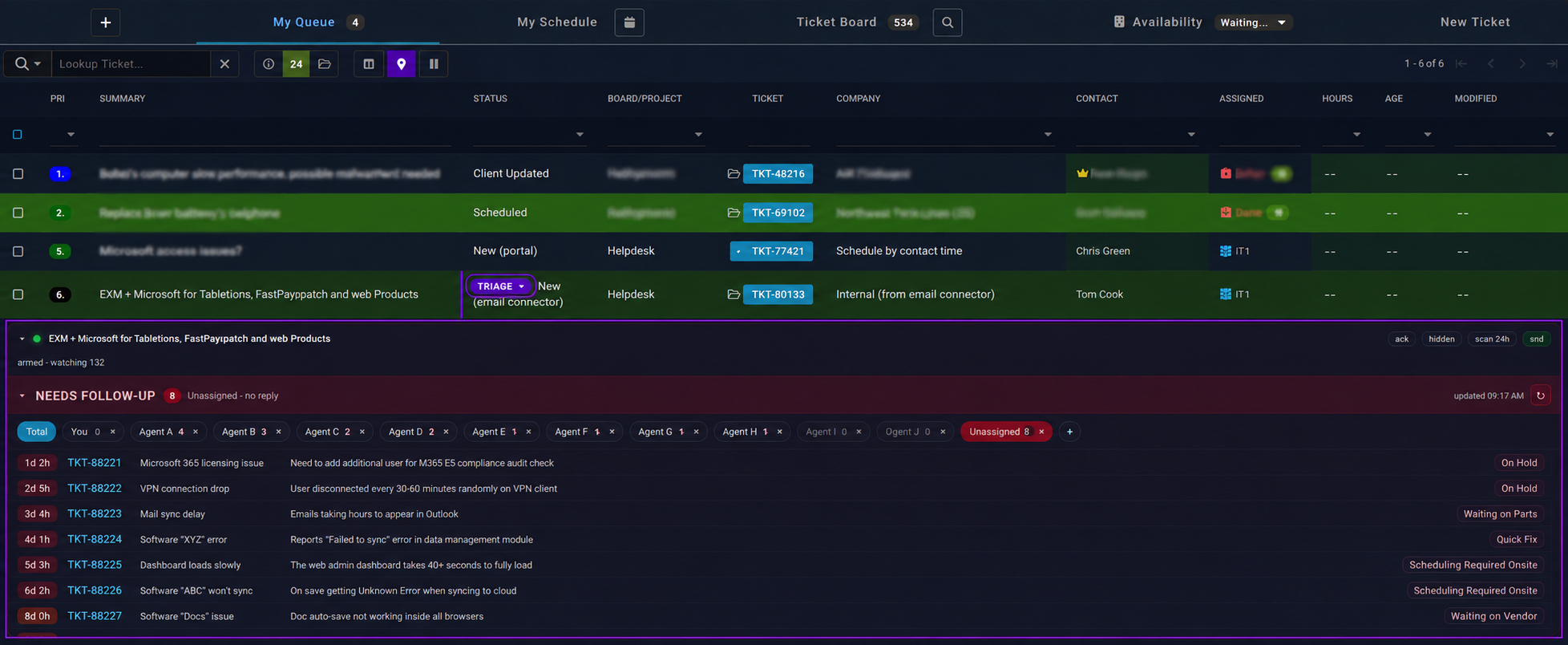
01

The ticket board

The screen the team lives in all day.
Before
The default ConnectWise ticket board — pale and cluttered
Stock queue, pale and low-contrast, with nothing to draw the eye to what matters.
After
The ticket board rebuilt by Sniper — dark, colour-coded, with a follow-up panel
Dark, colour-coded and decluttered, with the follow-up panel docked right below it.
02

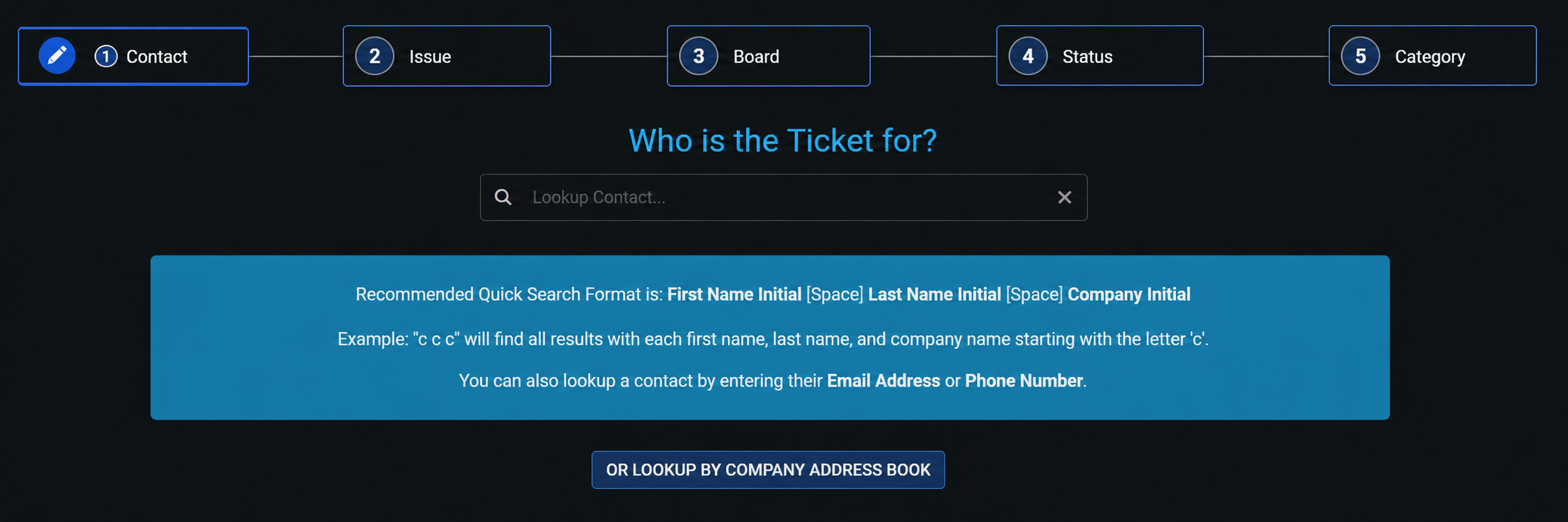
Creating a ticket

The most repeated action on the desk.
Before
The default new-ticket flow — a five-step wizard
A five-step wizard, one screen at a time, clicking forward and back.
After
Sniper's one-screen new-ticket flow
Collapsed to one screen, contact, issue, placement and source all in view at once.
03

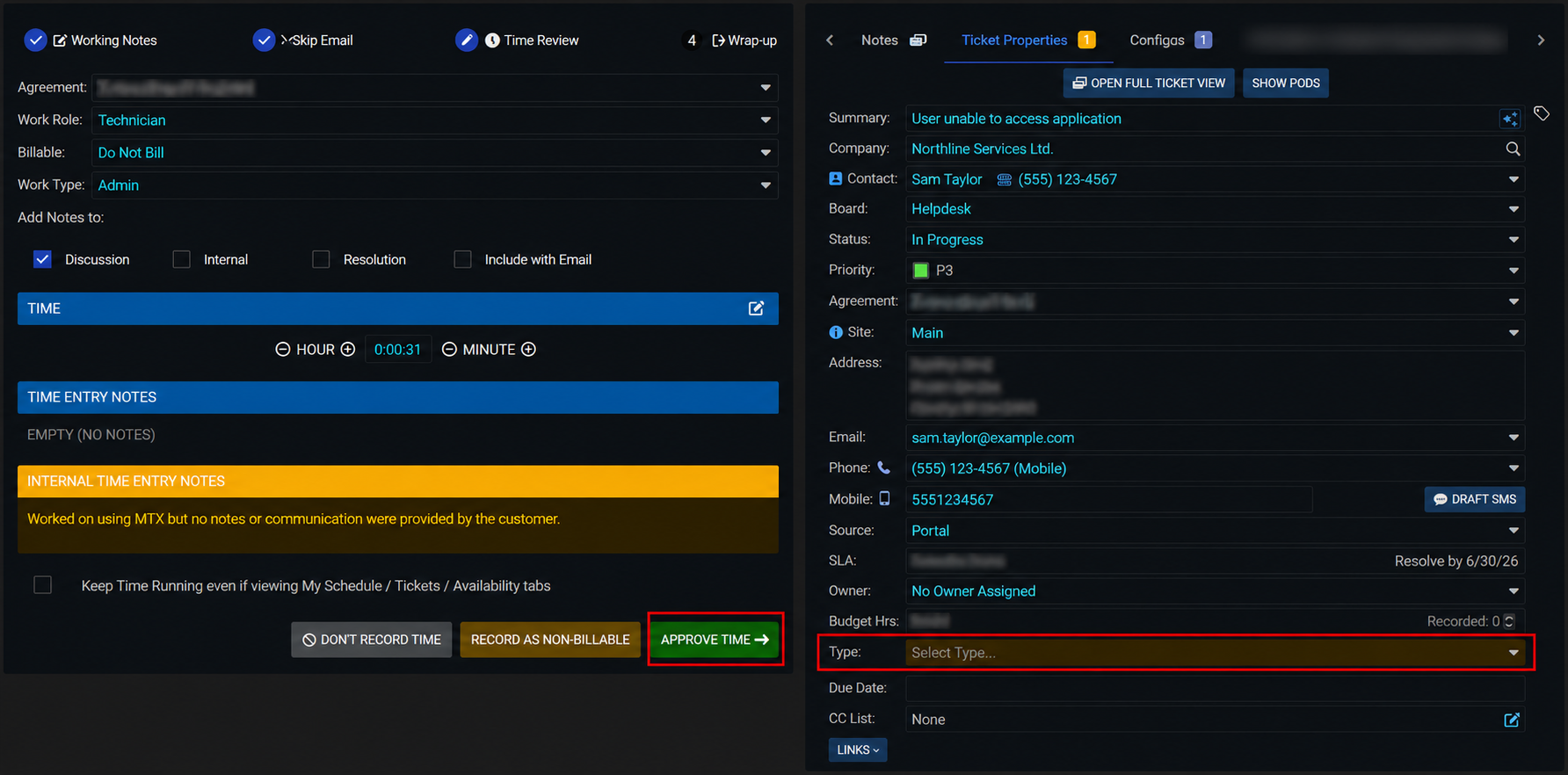
Reviewing & approving time

Where accurate billing is won or lost.
Before
The default time-review screen — washed out
The stock time-review panel, washed out and easy to misread.
After
Sniper's cleaner time-approval layout
A cleaner layout that makes accurate capture and approval fast and obvious.
04

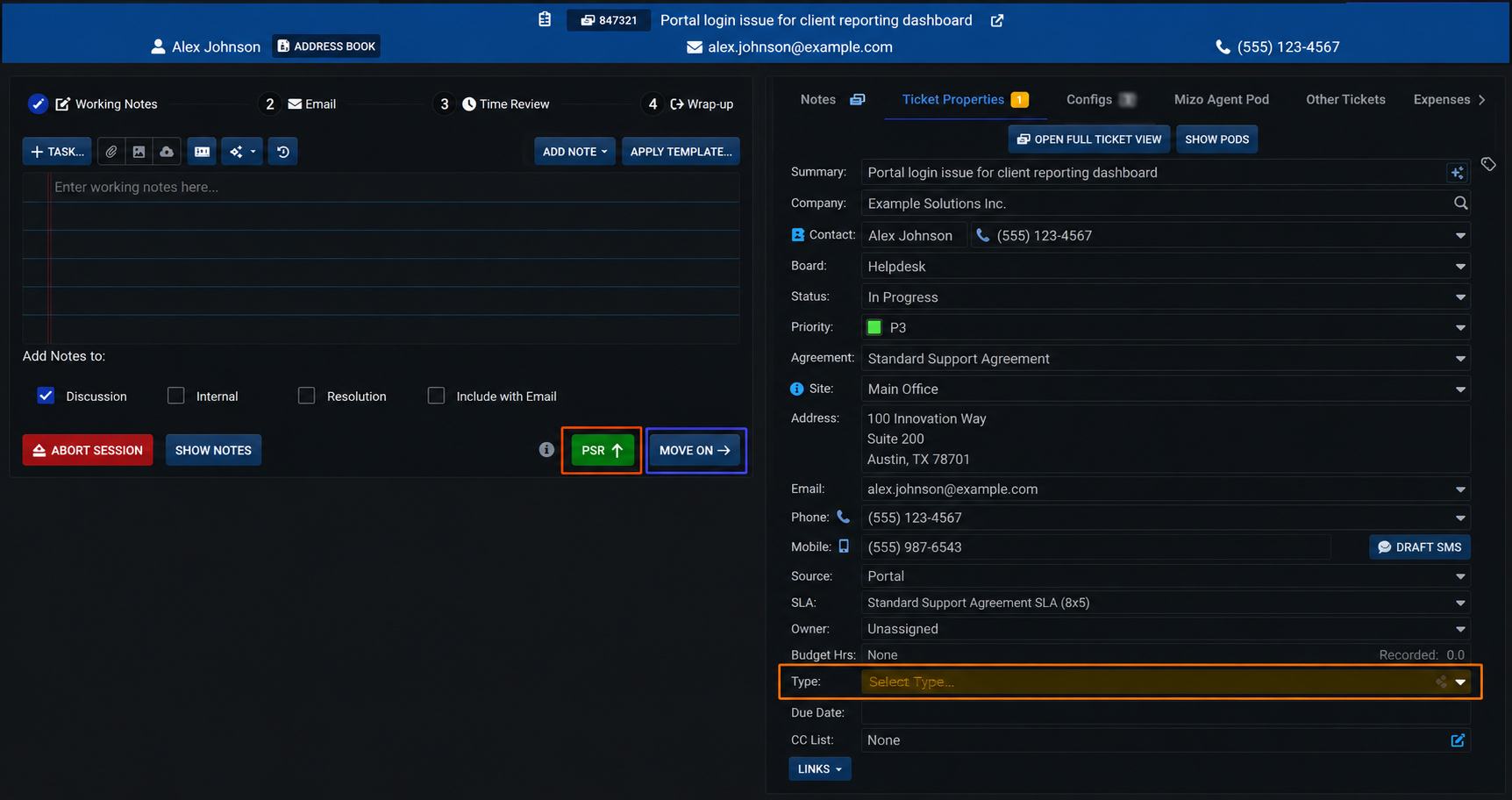
Wrapping up & moving on

Closing one ticket and lining up the next.
Before
The default wrap-up screen
Stock wrap-up, minimal actions buried in pale chrome.
After
Sniper's wrap-up with one-press complete and move-on
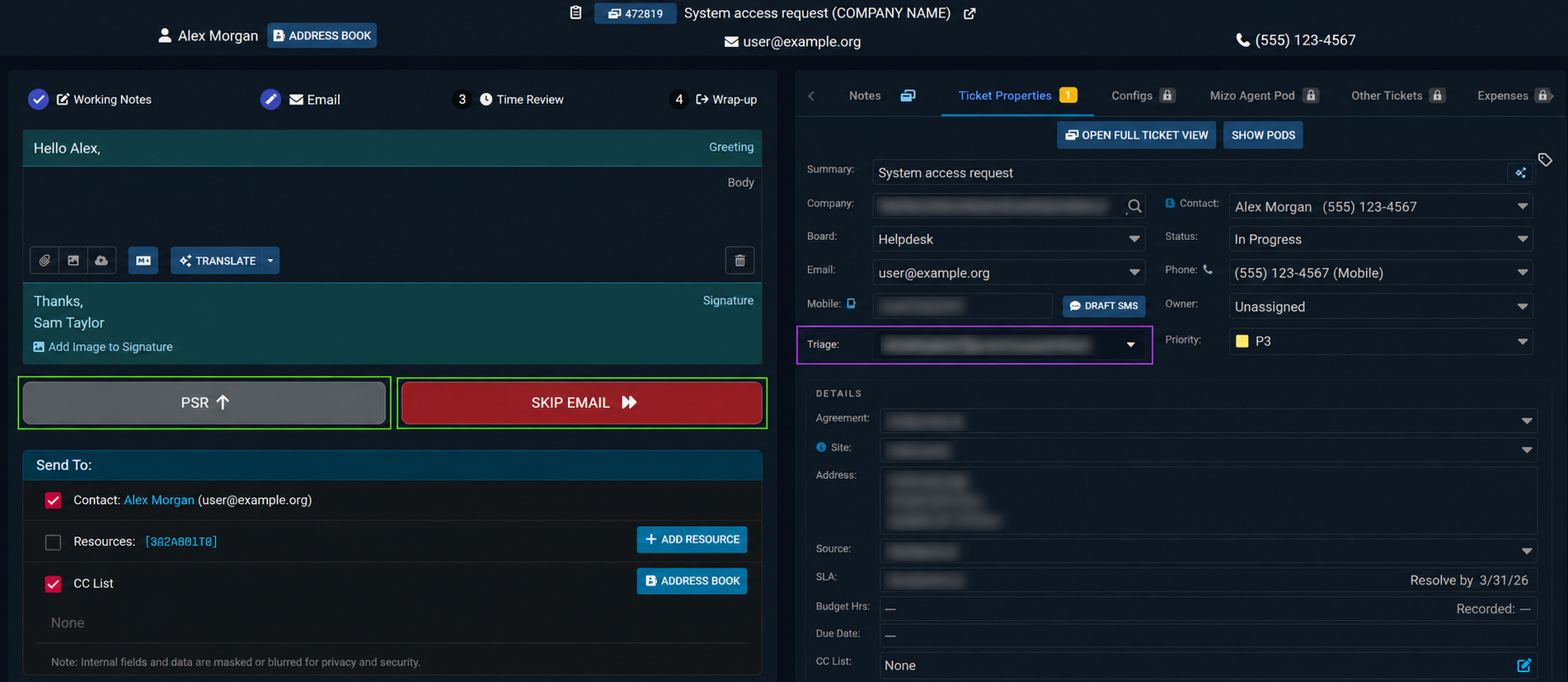
One-press complete, PSR and move-on, each one a single, clearly-coloured action.
05

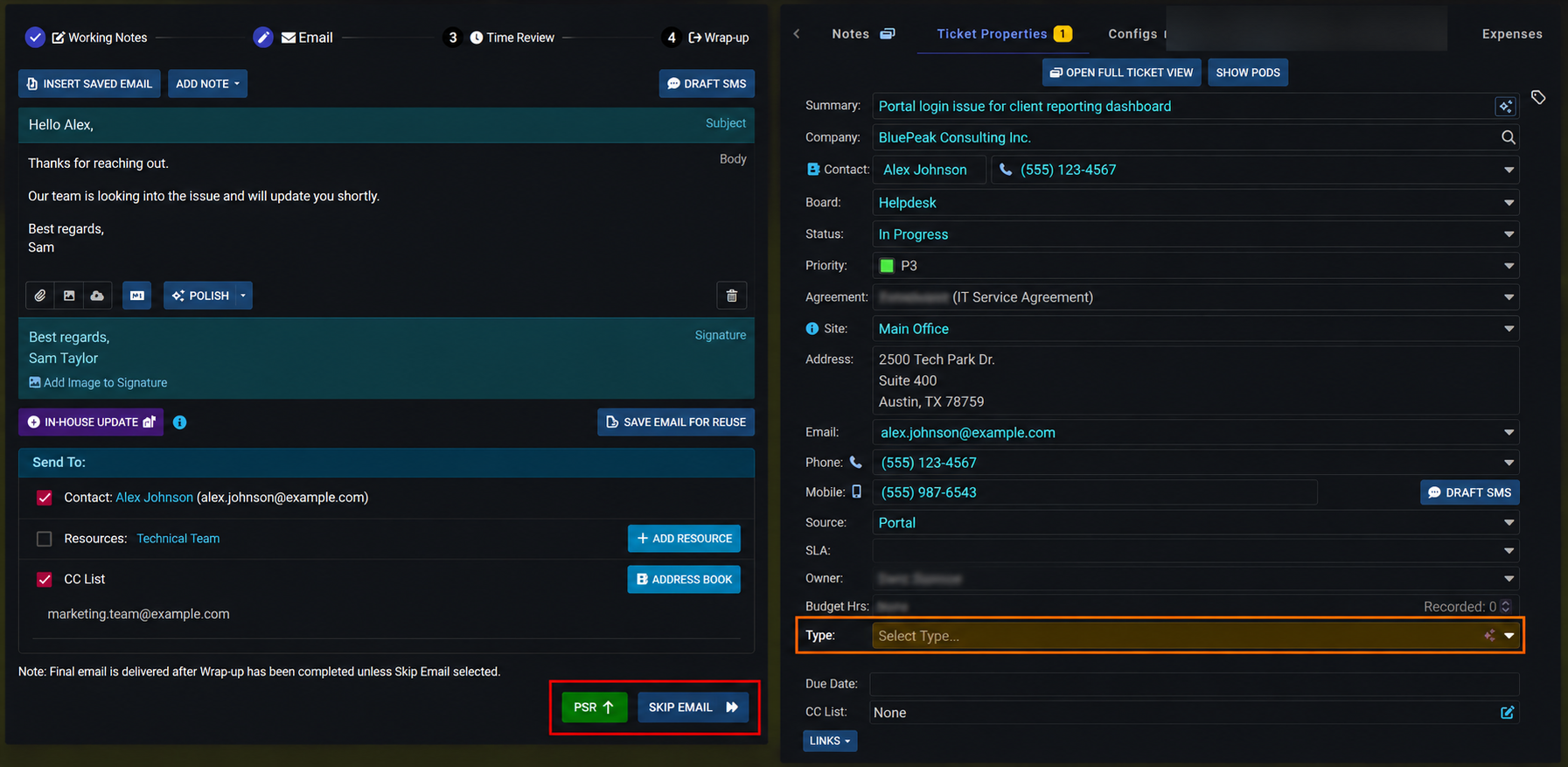
Skipping the email step

Not every wrap-up needs a message sent.
Before
The default flow forces an email on every wrap-up
The default flow pushes an email every time, even when there's nothing to say.
After
Sniper's clear skip-email path
A clear skip-email path when no message is needed, removing wasted steps.
06

The Sniper follow-up panel

New capability

The original has nothing like this.
After
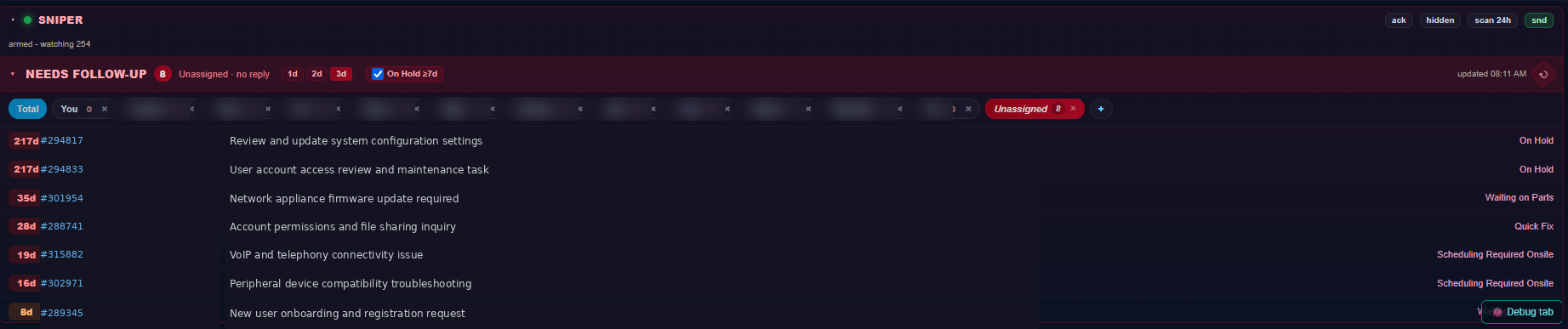
The Sniper follow-up panel surfacing the oldest backlogged tickets
Sniper watches every open ticket and surfaces what's gone cold, sorted by age so the 217-day-old ticket can't hide. No more scavenging the board for backlog or chasing missed follow-ups by hand.
The results

Faster days, fewer misses, honest credit.

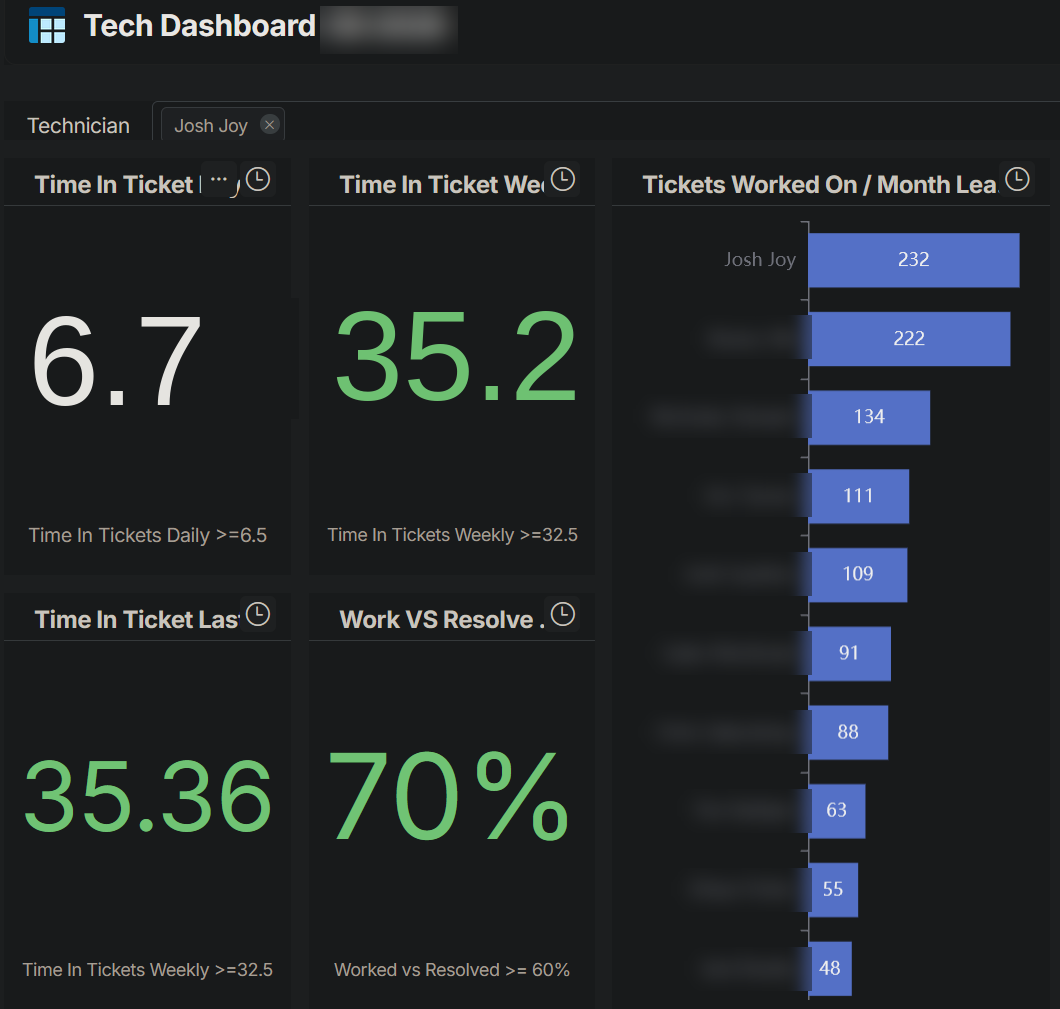
  • More tickets per technician, per day, simply because there's less friction in the way.
  • Fewer missed deadlines, with cold tickets surfaced before they age out.
  • Cleaner billing, supported by a time-review layout that makes accurate capture easy.
  • Fair, data-backed credit, so leadership can see who actually closed what.
  • Zero infrastructure cost, because it rides the session the team already has open.
sniper · ticket stats
Sniper ticket statistics
More on the way

This is one project, not the whole story.

Sniper is the flagship, but the same approach applies to all kinds of clunky software. If you've got a system your team fights with every day, that's exactly the kind of work I take on. New case studies will land here as projects wrap.